Sofa's Podcast Player Got a Glow-Up


Sofa 5.4 has a brand new podcast player, and it’s really good. It has a fresh look, smarter playback, and transcripts you can read along with, even when the show doesn’t publish one. Version 5.4 also comes with support for the new iPhone Duo, improved progress tracking with Sessions, new Shortcuts actions, and a long list of improvements.
Podcast Player
The podcast player has been redesigned from top to bottom. It morphs open from the mini player, takes its colors from the episode’s artwork, and keeps Up Next, Chapters and Notes right inside, so everything about the episode is one tap away.
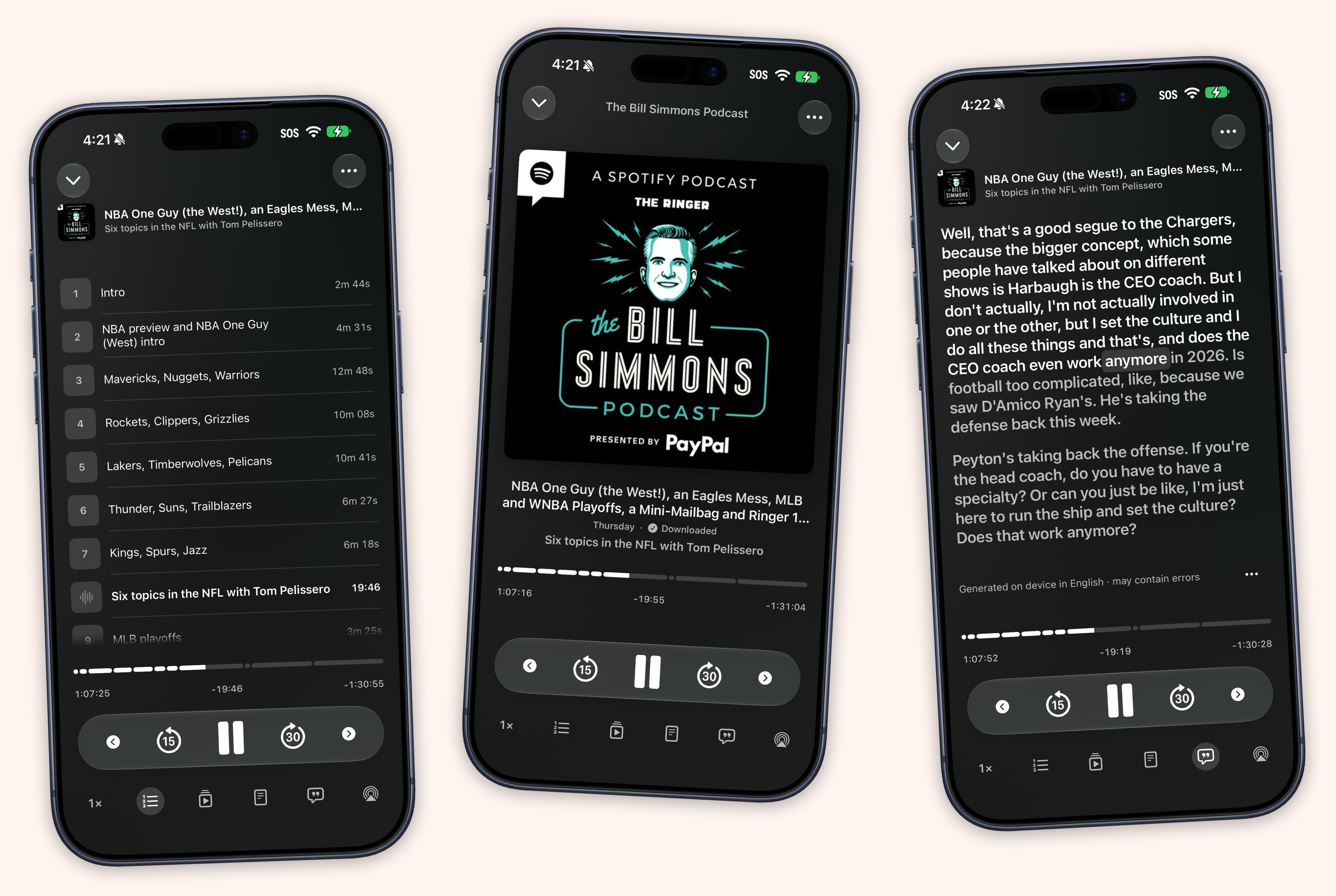
It’s not just looks. Playback is smarter about what comes next, Voice Boost is improved, and feeds refresh and download overnight while charging, so new episodes are ready when wake up.
If a show publishes a transcript, it’s right there in the player. If it doesn’t, Sofa can make one itself, entirely on your device. Tap Generate, or let Sofa quietly transcribe your downloaded episodes overnight while your phone charges. Either way, a live highlight follows along word by word as you listen, so you never lose your place.
Learn more about the podcast player →
iPhone Duo
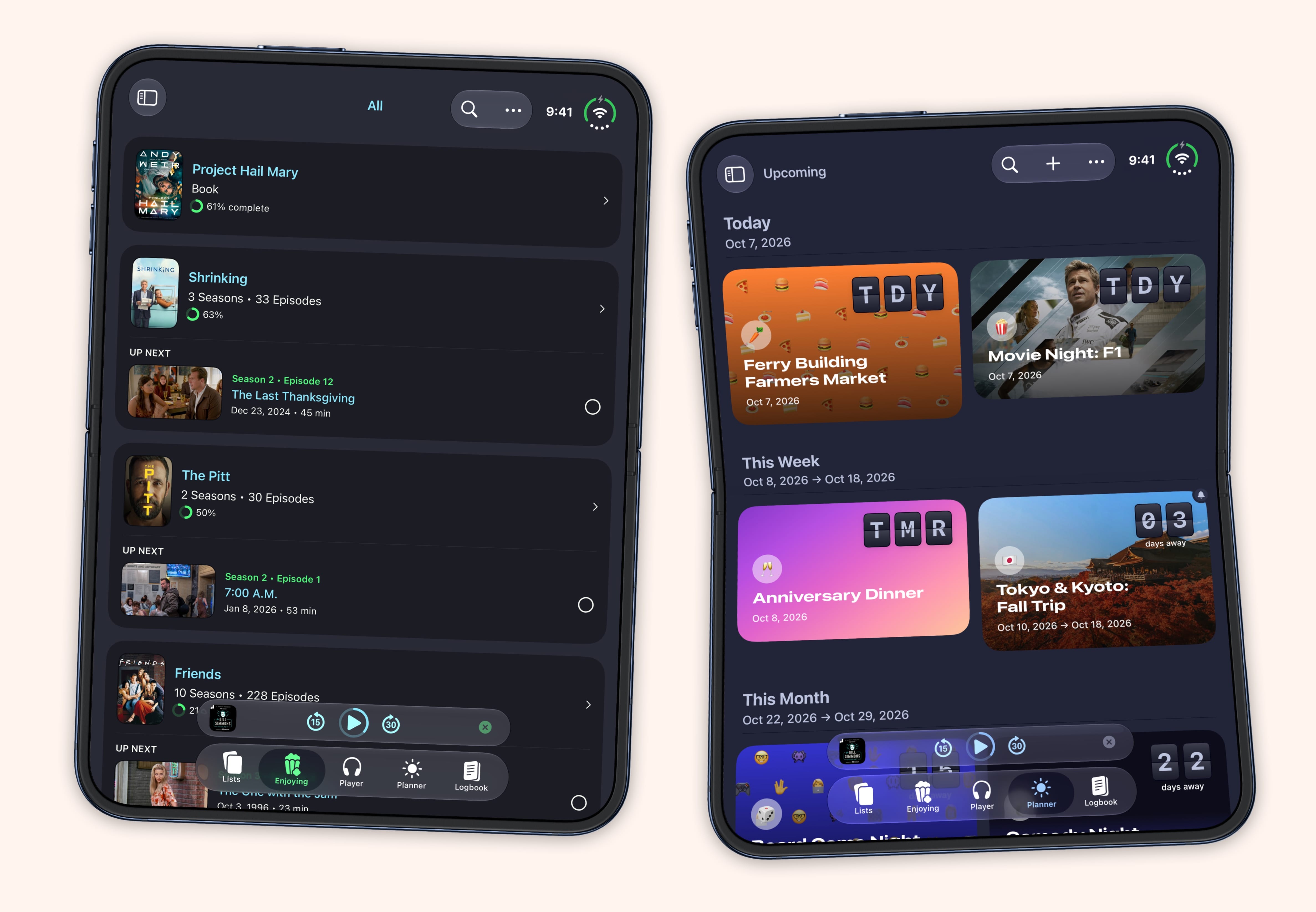
Sofa is ready for the iPhone Duo. Unfold it and you get a two-column layout split at the fold, with your lists on one side and what you’re looking at on the other.
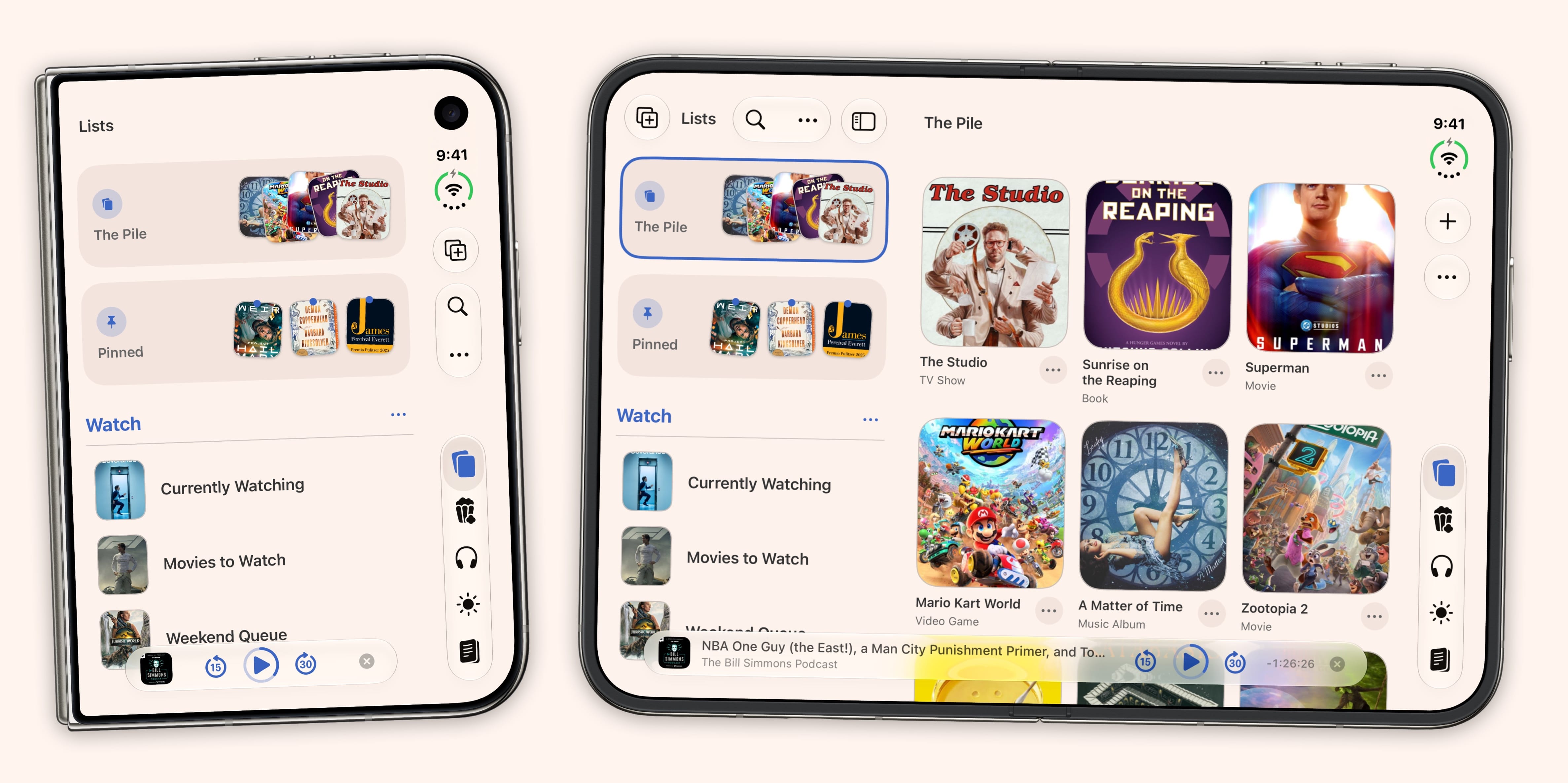
Everything resizes cleanly as you open, close and rotate the phone, and nothing important lands on the crease.
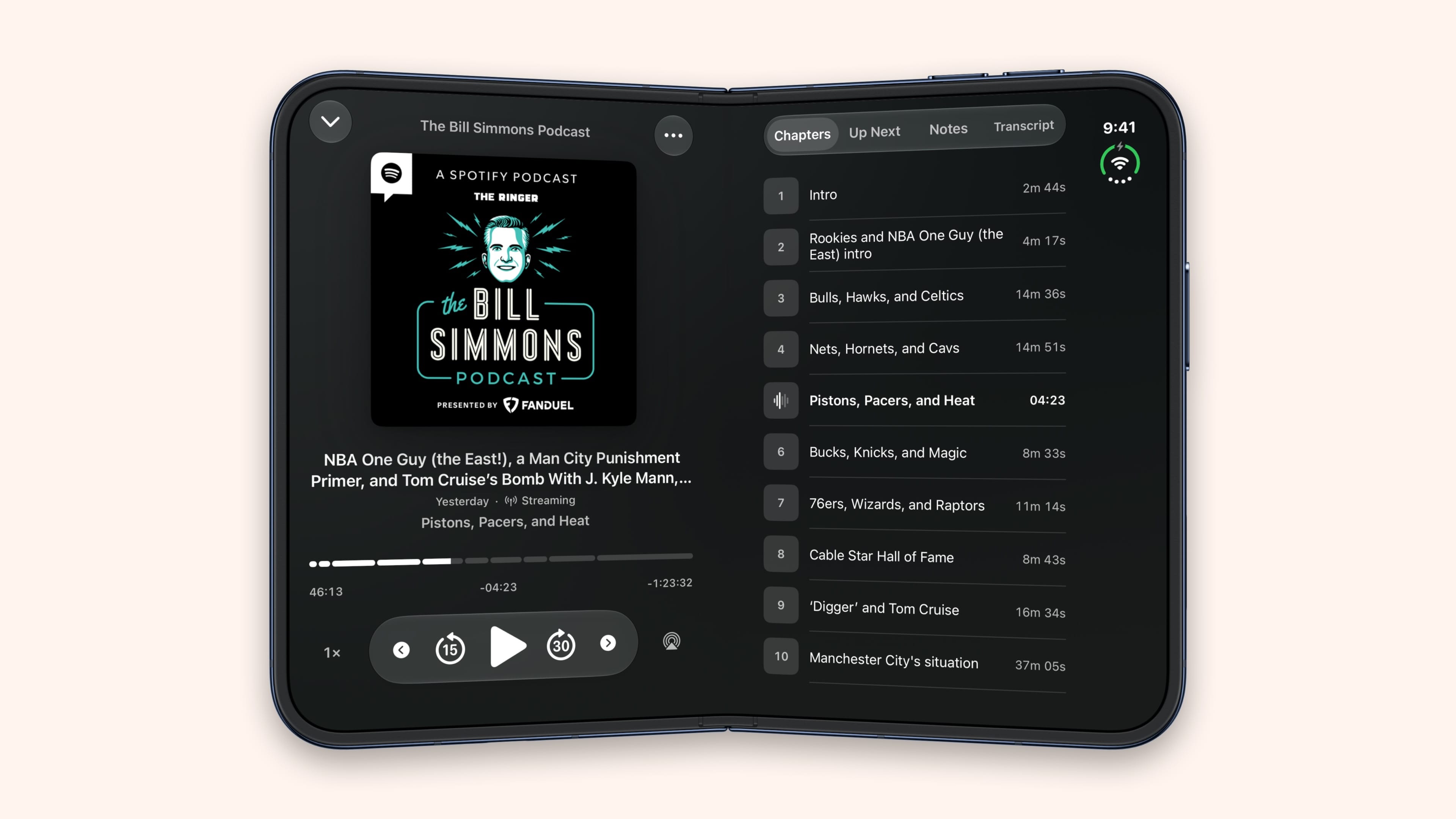
The podcast player splits across the fold too. Prop the phone up in laptop/seated pose and the transcript sits on the upright half.
Sessions
Super Sofa. Ever wonder how long that book really took you, or how many hours you’ve sunk into a game? Now Sofa can tell you. Each time you log progress, add how long you spent and how far you got, in pages, chapters or whatever fits, and Sofa keeps a running total for every item.
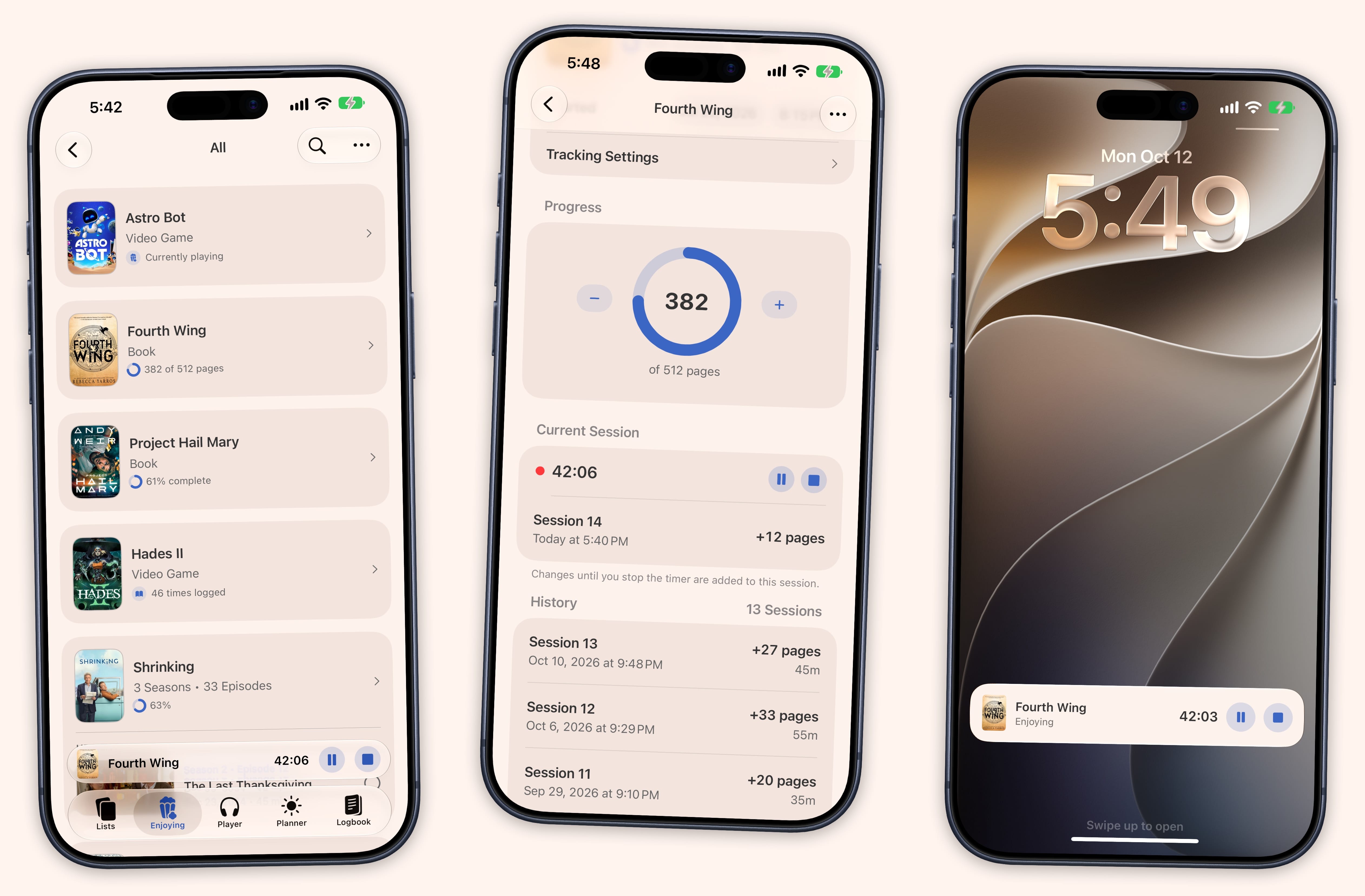
If you’d rather not estimate, start a timer when you sit down and stop it when you’re done. It stays in view across the app, on your Lock Screen and in the Dynamic Island, so pausing for a snack is one tap.
Your sessions show up in Stats and the Logbook, too. Books, Games, Music and Custom Category Stats get a Sessions section with time spent, totals for each unit and a weekly chart, and Logbook rows show session totals at a glance.
Learn more about progress tracking →
Shortcuts
Shortcuts got a lot more capable. There are new actions to Start, Stop, Pause and Resume a session, plus Get Ingredient Value. Log Progress and Add Journal Entry now take a Duration and Amount.
Get Items can filter by Completed, and items expose much more to work with, including Properties, Current Value, Total, Session Count and Total Session Time. It also no longer returns Quick Log entries, logbook stamps and episodes as duplicate items.
Read the Shortcuts docs for progress tracking →
And More
- Caught-up shows no longer appear in the Dusty section of the Enjoying tab.
- Multiple windows. Each window keeps its own place in your Lists and is titled after what it shows. Open a new one with ⌃⌘N.
- Drag to move. Drag items from a list onto another list in the sidebar, one at a time or a whole selection. If you drop them in the wrong place, you can undo it.
- Date Only timestamps. A new Timestamps option in Settings → Logbook hides the time on Logbook entries. Your times are still saved, so you can switch back whenever.
- A “To Watch” progress format for TV shows that counts only aired episodes.
- See the full release notes for everything else, including bug fixes
- Download Sofa from the App Store