Introducing Sofa 5


Today I’m releasing the biggest update I’ve ever made to Sofa, version 5.
If you’ve never heard of Sofa, it’s an app that helps you be more intentional with your downtime. You can create lists of things to watch, read, play, and listen to, and then actually keep track of all of it. It’s a non-work tool for your personal time.
With version 5, Sofa goes from being a really good list app to something more like a full companion for your downtime. Sofa 5 gives you the tools to track your progress through shows and books, listen to podcasts, plan trips, and and a whole lot more.
Here’s a rundown of everything in Sofa 5. For a deeper dive, head over to the 5.0 landing page.
Progress Tracking
Sofa now provides a highly flexible tracking experience. There are five tracking modes that let you follow shows, books, games, and movies however you want, from simple checklists to full journaling.

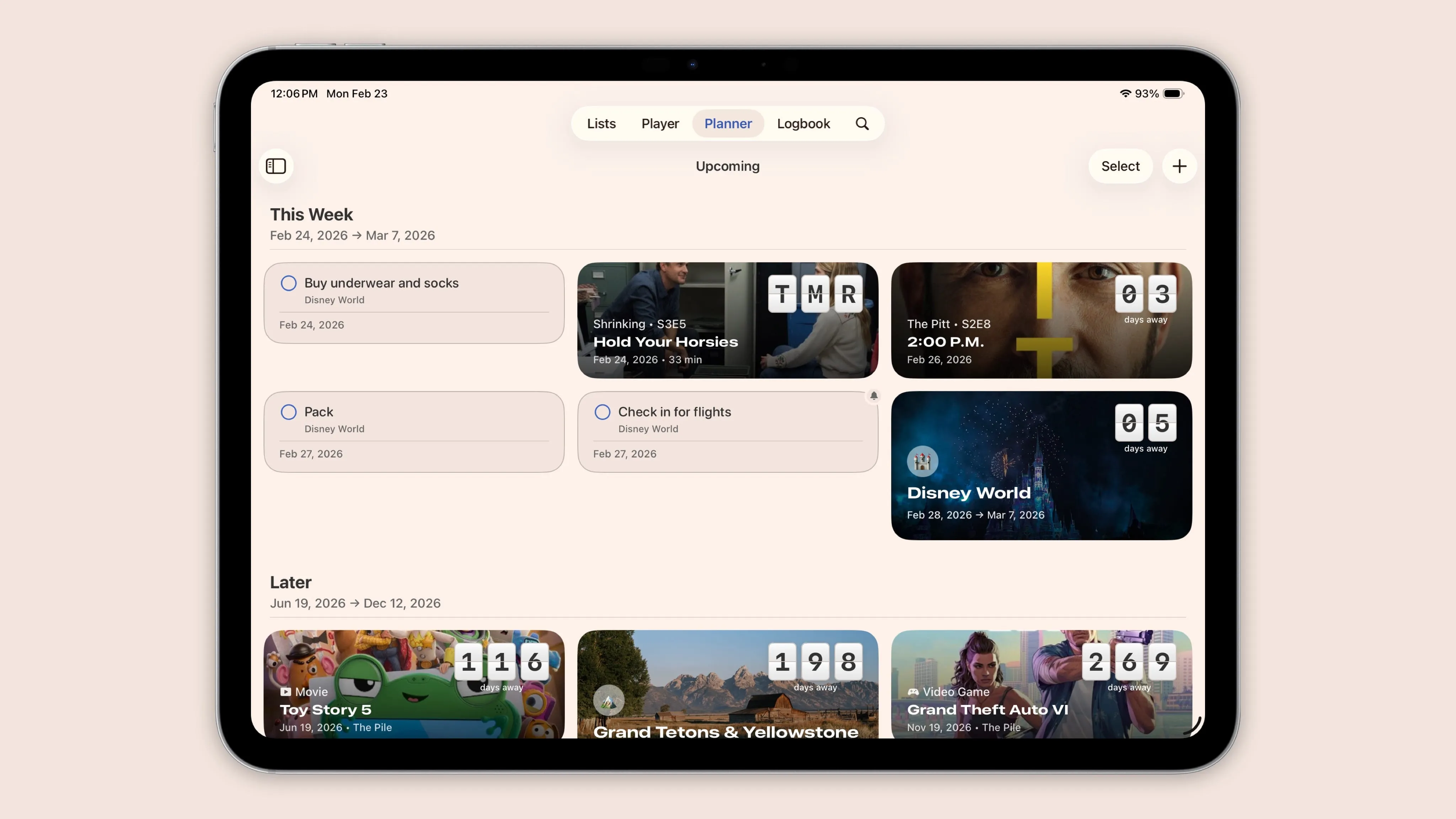
Planner
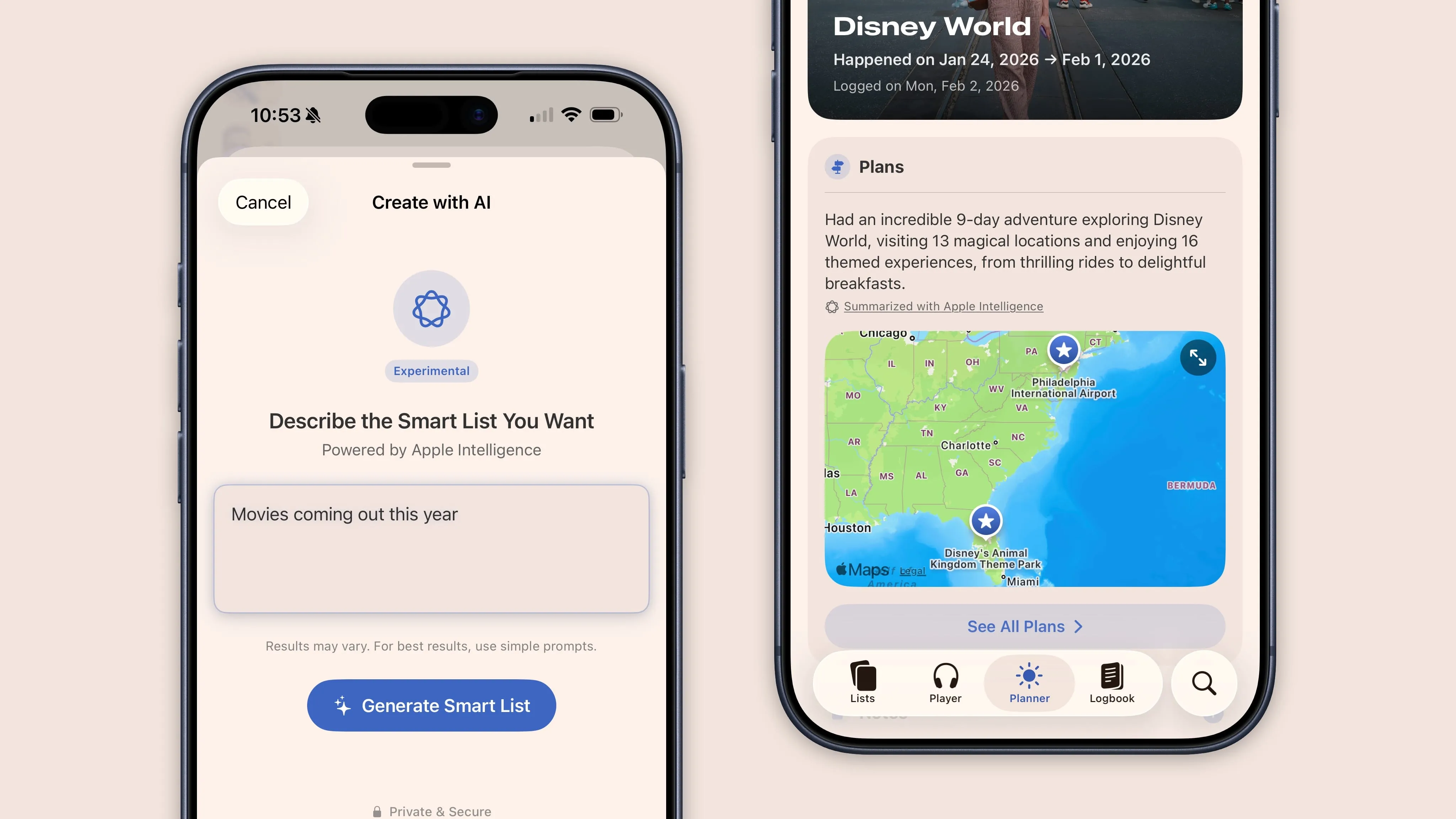
The new Planner handles your TV schedule, standalone tasks, sticky notes, and full trip itineraries with budgets, maps, and weather.
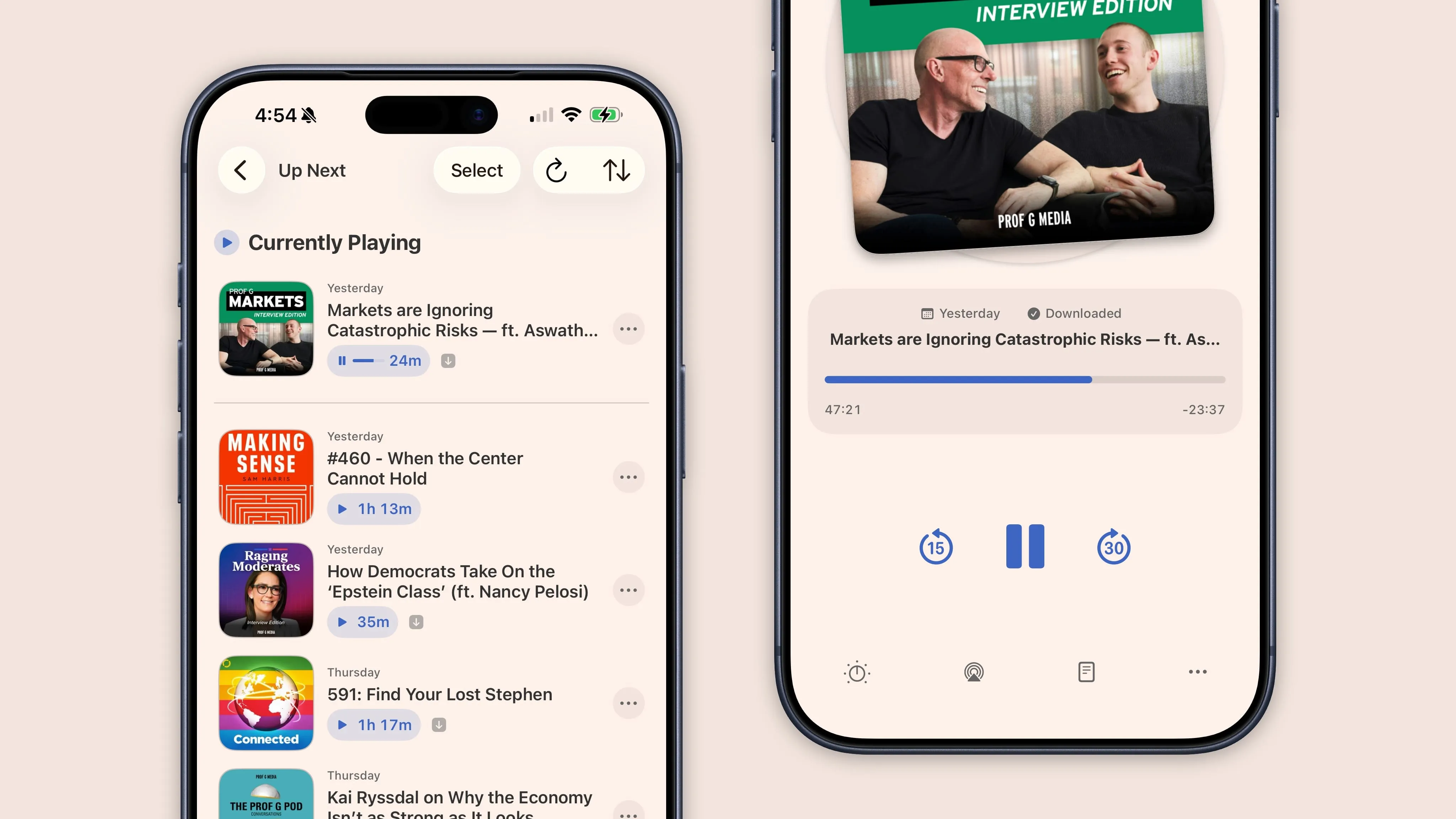
Podcast Player
Sofa now has a full podcast player built right in with queuing, offline downloads, CarPlay, and per-show playback settings.
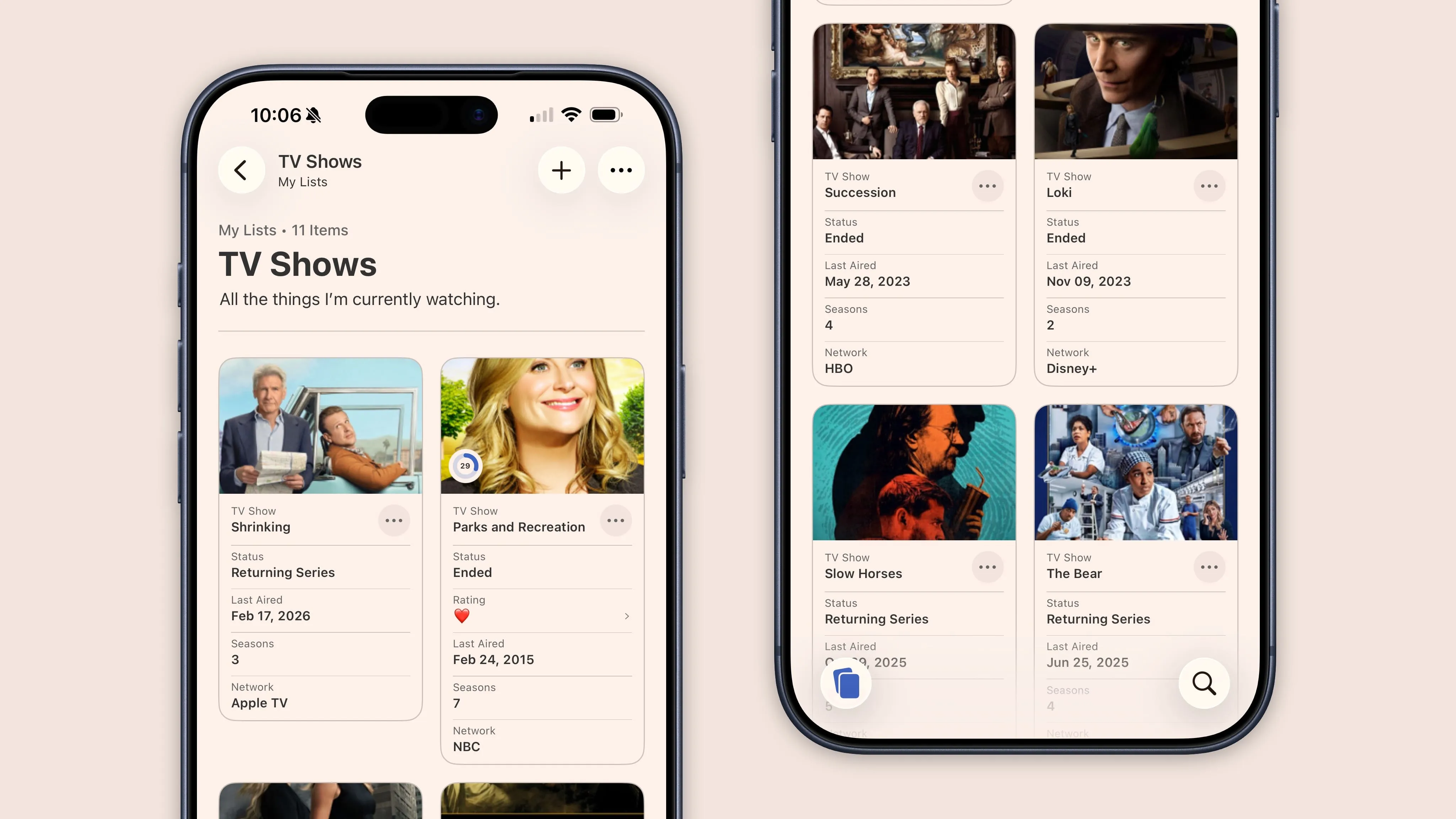
Better Organization
Lists got a lot more powerful in this update. Two list types, four layouts including the new Data Cards view, 28 Smart List filters, custom fields called Ingredients, and multi-select actions to manage items in bulk.
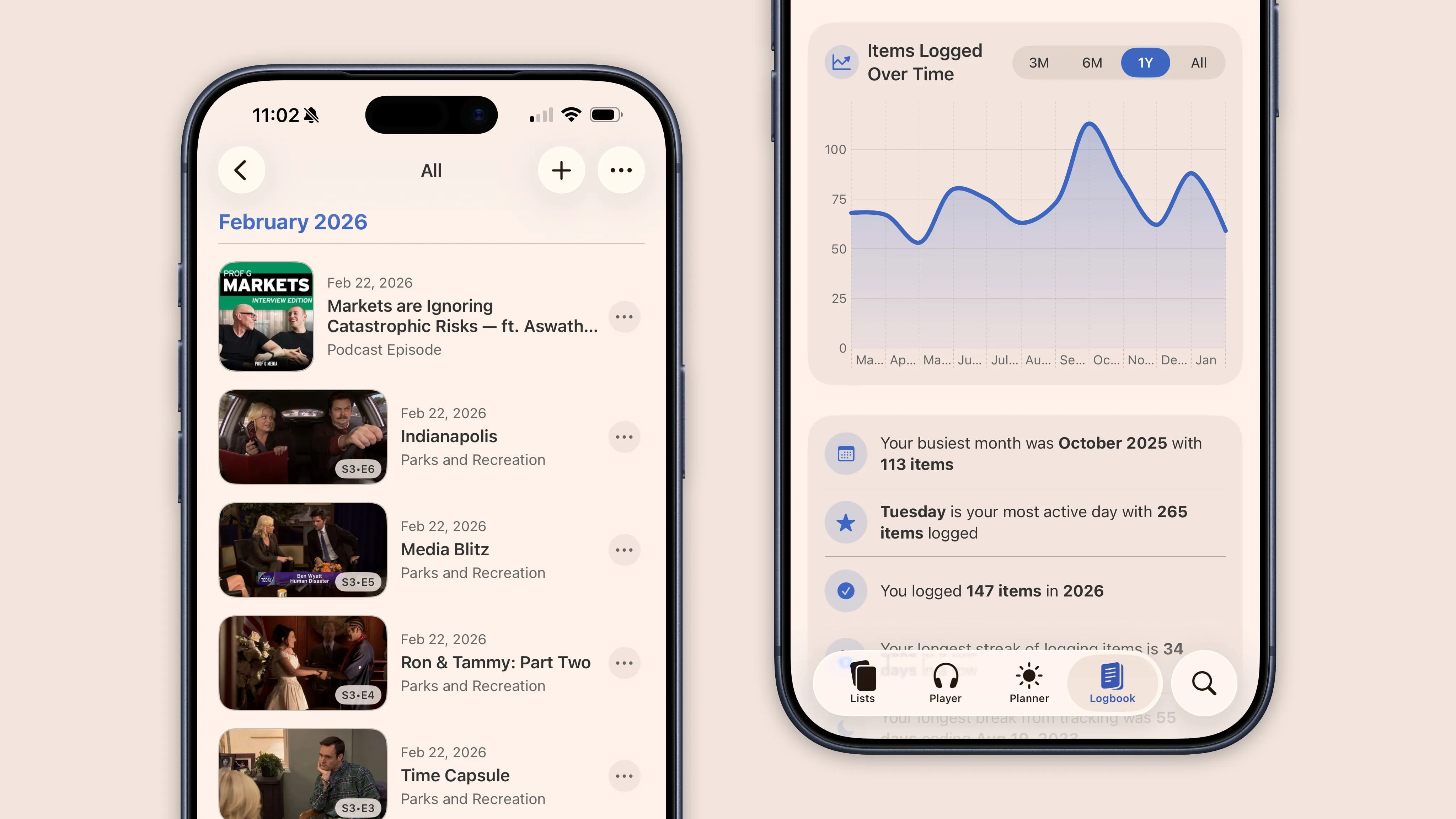
Logbook and Stats
The Logbook catches everything you finish with its date, notes, and metadata intact. A Stats dashboard turns that history into charts, top rankings, genre breakdowns, year-over-year comparisons, and milestone markers.
Apple Intelligence
On devices that support Apple Intelligence, you can create Smart Lists by describing what you want in plain language. It also powers automatic summaries in the Planner that update as your plans change.
And More
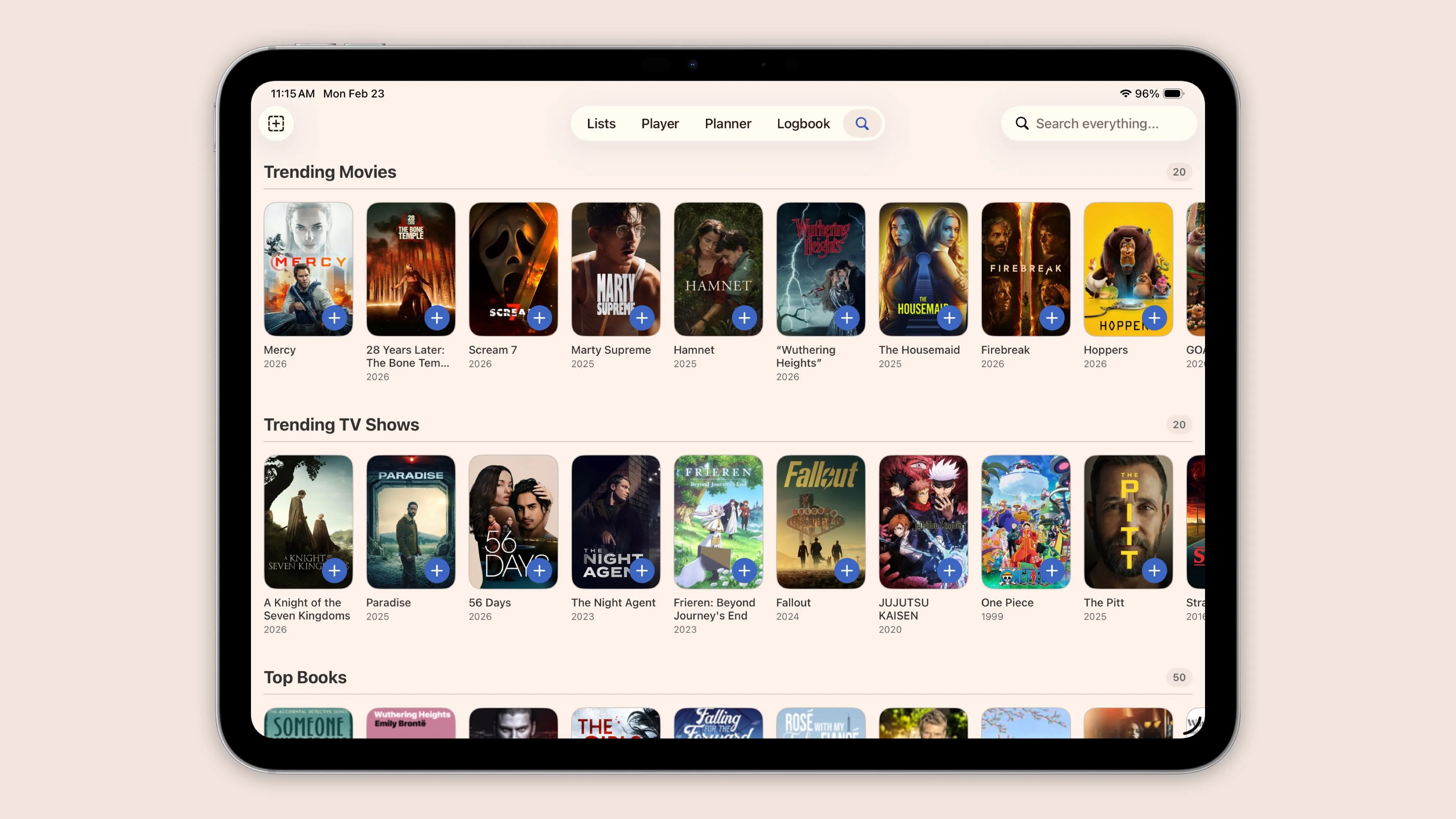
- Unified Search now covers your library and new content in one place, with trending results and smart type detection
- Widgets put progress rings and cover art on your home screen and lock screen
- 40+ Shortcuts actions let you automate your library however you want, including things like “mark next episode as watched” through Siri
- Customizable tab bar lets you hide the Player or Planner if you don’t use them
- Manual items now get the same detail fields as items from search, so everything has full parity
Sofa 5 is the version of the app I’ve always wanted to build. It took a while to get here, but I think the result is something really special. I hope you love it as much as I do.